

How to use Graphify in Perplexity Computer
· 3 minute read

To use Graphify in Perplexity Computer, install the Graphify skill from Plugins, type /graphify in a Computer task, and paste a link to a public GitHub repository. Computer clones the code, builds a knowledge graph, and returns an interactive map, a downloadable bundle, and a report. Perplexity can now use Graphify has the announcement.
How do you install the Graphify skill?Link to How do you install the Graphify skill?
- Open Plugins in the left sidebar.
- Go to the Skills tab and search for
graphify. - Open Graphify, listed under Developer.
- Select Install. The button becomes an Enabled toggle.

Perplexity is making tasks that use /graphify free through October 31, 2026, up to 5,000 credits per Computer user, so this is a good week to map the repositories you care about.
How do you start a Graphify task?Link to How do you start a Graphify task?
- Select New and set the mode to Computer.
- Type
/graphifyand choose Use to pick the skill. - Tell it which repository to map.
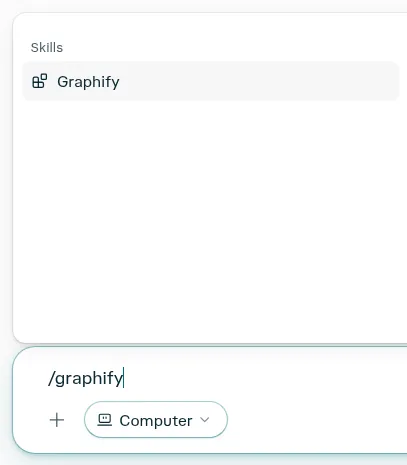
This is the prompt we used on our own repository:
map the codebase at https://github.com/Graphify-Labs/graphifyComputer cloned the public repository on its own. There was no connector to add, nothing to upload, and no sign-in. It chose the files that matter, 102 code files and three docs, and finished in about five minutes.
What do you get back?Link to What do you get back?
Every run ends with three artifacts in the task:
- Graphify Codebase Map, an interactive app you can open in the task.
- Graphify Codebase Map Bundle, a ZIP with
graph.json,graph.html, the raw extraction, and a notes file. - Graphify Codebase Graph Report, a write-up of the key functions, the main flow, and questions worth asking.
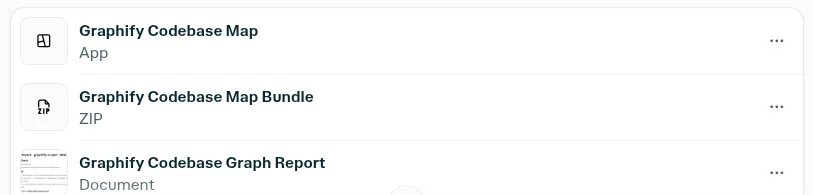
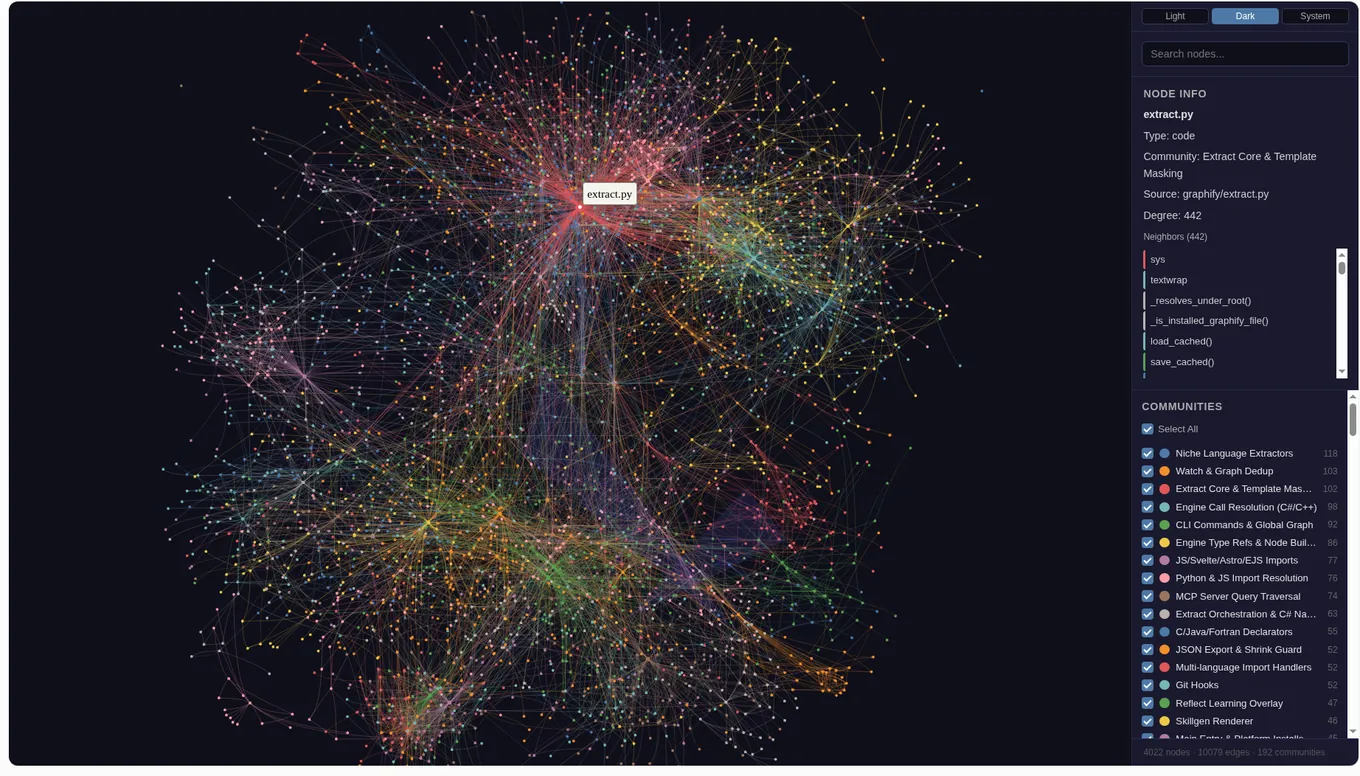
On the Graphify repository, the map held 4,022 nodes, 10,079 directed edges, and 192 communities.
How do you explore the map?Link to How do you explore the map?
The map draws every node and edge as a force-directed graph. Each edge keeps its direction, its relation type, a confidence tag, and the source file it came from.
- Search nodes finds any file or function by name.
- Node info opens when you click a node. It shows the type, the community, the source path, the degree, and the full list of neighbors. Selecting
extract.pyshows a degree of 442, in the community Extract Core & Template Masking. - Communities lists each cluster of closely linked code with its size. Tick or untick one to show or hide it.
- Light, Dark, and System switch the theme.
What should you ask next?Link to What should you ask next?
The map stays in the task, so follow-up questions answer from the graph instead of rereading files. Good ones to start with:
Which functions call the authentication middleware?How does a request get from the API router to the database?What are the most connected functions, and what depends on them?Trace how deduplicate_entities() connects the deduplication code.How do you run Graphify locally?Link to How do you run Graphify locally?
The engine behind the skill is open source on GitHub. It needs Python 3.10 or newer and uv. The package is graphifyy and the command is graphify:
uv tool install graphifyy
graphify install
graphify install detects your assistant and registers the skill. Then type this in Claude Code, Cursor, Gemini CLI, or another supported assistant:
/graphify .You get the same three files locally in graphify-out/: graph.html, GRAPH_REPORT.md, and graph.json.